YOUR TAKE ON THE CROWD DANCE
STORM II AI Video Generator
One photo puts you at the center of the STORM II crowd dance, with the original moves and music.
Your photo. Your video.
Explore the templates in Rapframe’s video studio.
Open video studioYour uploads stay private.
Paid credits required. Check the cost before generating.
See what your photo can become
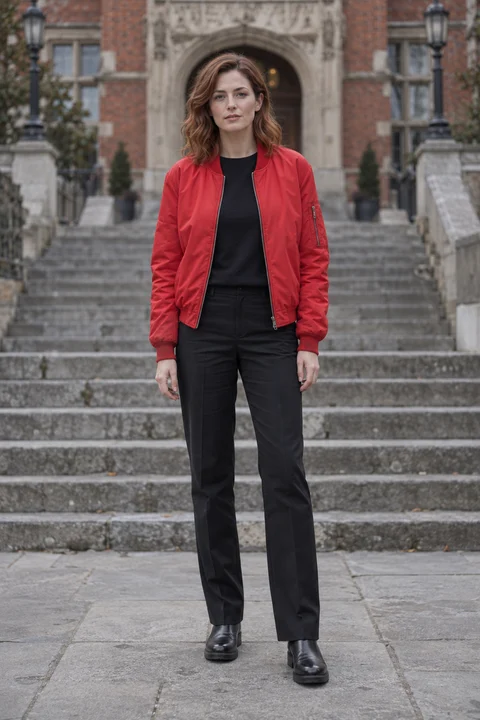
An AI-generated example using this lead photo and the included dance.
How to make your STORM II AI video
- 01
Add your photo
Choose one clear photo of the person you want at the center of the dance.
- 02
Choose the length
Pick 5, 10 or 15 seconds. Choose a wide view for the crowd or a vertical view for your phone.
- 03
Generate and download
Create your video, watch it with sound and download it to share.
STORM II AI questions
What photo should I upload?
Upload one clear photo showing your face, hair and outfit. Distinct clothing colors help your lead stand out from the crowd.
Do I need a prompt or a dance video?
No. The dance is included. Upload your photo and generate, or add a short note for an outfit or color change.
How long is the video?
Choose 5, 10 or 15 seconds. A wide view shows more of the crowd; choose vertical for a phone screen.
Does the video include music?
Yes. The original music from the dance preview is included.
How do video credits work?
Buy a one-time credit pack. Video generation costs 20 credits per second: 100 credits for 5 seconds or 200 credits for 10 seconds. Failed generations return reserved credits. No subscription or automatic renewal.
Can I make another version?
Yes. Ask for one specific change in the same chat. Each new version uses credits. Faces and movement can vary, especially in the crowd.
See current plans and credit options on Rapframe pricing.