Upload your photos
Upload two different clear portraits. Photo 1 plays the keyboard on the left; photo 2 gestures on the right and approaches the camera.
TWO PHOTOS. ONE SHARED MOMENT.
Turn two photos into a playful keyboard jam: one friend plays, one hypes, then both dance toward the camera.
Explore the templates in Rapframe’s video studio.
Open video studioYour uploads stay private.
Paid credits required. Check the cost before generating.
This example uses two original fictional adult portraits and the included written scene. Your own photos become the cast of a new performance.
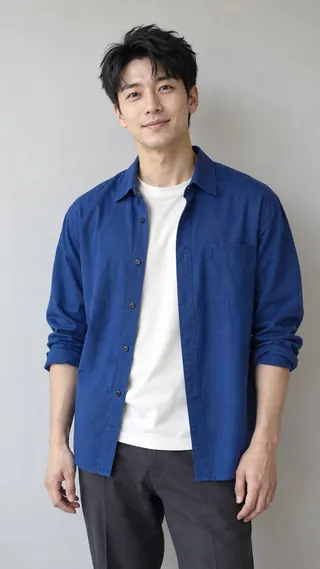
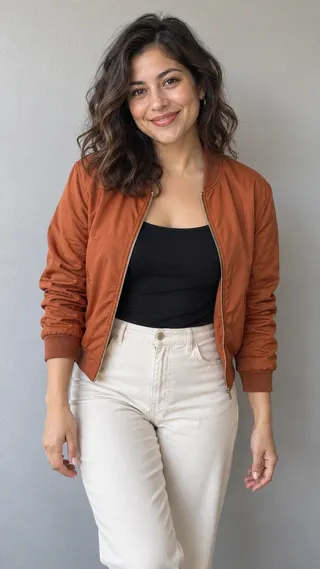
Two friends share a bright studio with a small keyboard and laptop. The first plays while the second points and nods along. They laugh, the second friend comes forward, and both finish with small bouncing steps together. Each photo keeps its own role throughout.
This short keyboard-jam interpretation includes the keyboard, reactions and shared dance in 15 seconds.
Upload two different clear portraits. Photo 1 plays the keyboard on the left; photo 2 gestures on the right and approaches the camera.
Start with the included scene or describe an outfit, expression or camera change. Choose your duration, format and sound.
Preview the full video, check the faces and movement, then download your MP4. Make a focused revision in the same chat if needed.
Upload two different clear portraits. Photo 1 plays the keyboard on the left; photo 2 gestures on the right and approaches the camera. Use good light and an unobstructed face. Include the hairstyle and clothing you want to retain. Avoid heavy blur or a hand covering the face.
Sound can include a new generated rhythmic instrumental and natural ambience. The original song recording is not included. Choose silent output if preferred. Download the finished MP4 after generation.
Turn two photos into a playful keyboard jam: one friend plays, one hypes, then both dance toward the camera.
Upload two different clear portraits. Photo 1 plays the keyboard on the left; photo 2 gestures on the right and approaches the camera.
Upload your photos and the included written scene supplies the action. Add an optional instruction to change an outfit, expression or setting. No video or audio upload is needed.
It creates a new performance from your photos and written direction, with new generated sound when enabled. It does not include the original footage, song recording or speaker's voice. You can choose a silent result.
Choose 5, 10 or 15 seconds in settings. The default is 15 seconds in vertical 9:16, with a downloadable MP4.
Your photos guide identity and clothing, while written beats guide the action. AI can change hands, footwork, expressions and timing. Exact choreography and lip-sync are not guaranteed.
Buy a one-time credit pack. Video generation costs 20 credits per second: 100 credits for 5 seconds or 200 credits for 10 seconds. Failed generations return reserved credits. No subscription or automatic renewal.
Ask for a focused change in the same chat, such as an outfit color, camera angle or quieter expression. The existing photos and assigned roles stay in context. Each new generation uses paid credits.
Turn two photos into a playful keyboard jam: one friend plays, one hypes, then both dance toward the camera.
Start with your photos