Upload your photos
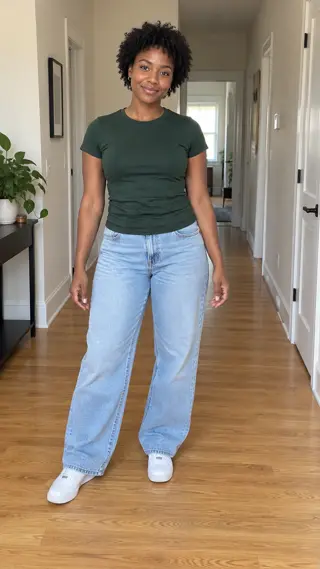
Upload one clear full-body photo of an adult with the face, hands and shoes visible. Leave space around the body for the dance.
YOUR PHOTO. A FAMILIAR MOMENT.
Turn one photo into a new blue-stage battle dance with rolling arms, a knee pop, a turn and a confident finish.
Explore the templates in Rapframe’s video studio.
Open video studioYour uploads stay private.
Paid credits required. Check the cost before generating.
This example uses one original fictional adult photo and the included written scene. Your own photos become the cast of a new performance.
A blue-lit battle stage frames one featured dancer. Rolling arms, a knee pop and a half turn lead to a final point toward the camera. The shot keeps the full body visible as a soft-focus crowd reacts behind the lead.
Your optional instructions can change an outfit, expression or the energy of the performance.
Upload one clear full-body photo of an adult with the face, hands and shoes visible. Leave space around the body for the dance.
Start with the included scene or describe an outfit, expression or camera change. Choose your duration, format and sound.
Preview the full video, check the faces and movement, then download your MP4. Make a focused revision in the same chat if needed.
Upload one clear full-body photo of an adult with the face, hands and shoes visible. Leave space around the body for the dance. Use good light and an unobstructed face. Include the hairstyle and clothing you want to retain. Avoid heavy blur or a hand covering the face.
Sound can include a new generated rhythmic instrumental and natural ambience. The original song recording is not included. Choose silent output if preferred. Download the finished MP4 after generation.
Turn one photo into a new blue-stage battle dance with rolling arms, a knee pop, a turn and a confident finish.
Upload one clear full-body photo of an adult with the face, hands and shoes visible. Leave space around the body for the dance.
Upload your photos and the included written scene supplies the action. Add an optional instruction to change an outfit, expression or setting. No video or audio upload is needed.
It creates a new performance from your photos and written direction, with new generated sound when enabled. It does not include the original footage, song recording or speaker's voice. You can choose a silent result.
Choose 5, 10 or 15 seconds in settings. The default is 15 seconds in vertical 9:16, with a downloadable MP4.
Your photos guide identity and clothing, while written beats guide the action. AI can change hands, footwork, expressions and timing. Exact choreography and lip-sync are not guaranteed.
Buy a one-time credit pack. Video generation costs 20 credits per second: 100 credits for 5 seconds or 200 credits for 10 seconds. Failed generations return reserved credits. No subscription or automatic renewal.
Ask for a focused change in the same chat, such as an outfit color, camera angle or quieter expression. The existing photos and assigned roles stay in context. Each new generation uses paid credits.
Turn one photo into a new blue-stage battle dance with rolling arms, a knee pop, a turn and a confident finish.
Start with your photos