 Rapframe
AI Cartoon Couple Video Generator
Make the two of you the stars of a short 3D cartoon comedy. Add separate portraits for the main character and partner; the shop scene and reaction beats are already prepared.
Make your video
Upload your photos to use this template.
Pick an effect
All 235 effects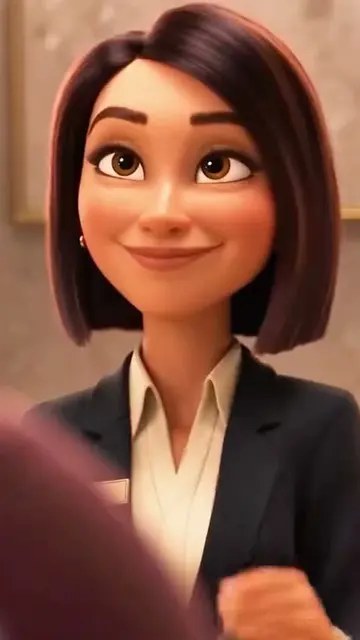











Enable JavaScript in your browser to upload material and generate a video.
Paid credits required. Check the cost before generating.
Preview unavailable. Try again.
What is AI Cartoon Couple?
AI Cartoon Couple makes an animated shop skit from two adult photos. At the counter, the couple reacts to a supporting shopkeeper, shares a forehead kiss and turns to leave, with a glance back that delivers the joke. Rounded 3D characters, expressive faces and a consistent boutique setting give the clip its animated-comedy look. It is a moving couple scene rather than a still cartoon portrait or a slideshow.
Your photos, with clear roles
Photo 1 becomes the main character in the reaction role; photo 2 becomes the partner. The shopkeeper is a supporting character and needs no third photo. Your portraits guide facial features, hair, skin tone and recognizable clothing colors. The prepared scene guides the camera, body positions and timing so you do not have to describe every shot. Both uploaded people are adapted into the same 3D cartoon world.
Choose photos for the moving scene
Use two separate, well-lit adult portraits with visible faces and hairstyles. Include the clothing you want adapted into cartoon form. Avoid a shared couple selfie in one slot, heavy face filters or a hand over the mouth. A clear everyday photo is more useful than a tiny face cropped out of a group picture.
Make your video
Add your photos
Upload the photos in the role order above. Use one adult per image.
Personalize the scene
Leave the instructions blank for the included scene, or add one focused change.
Generate and download
Check the displayed credit cost, generate, then review the people, movement and sound before downloading.
Questions about this video
How many photos do I need?
Two separate adult photos: the main reaction character first, the partner second. The shopkeeper does not need a photo.
Do I need to upload a reference video?
No. The scene and movement are already included. Upload the required photos and add optional instructions.
Does the video include sound?
The matching soundtrack is added when sound is enabled. Request a silent video to leave it out.
What length and format will I get?
A 12-second vertical 9:16 MP4. When sound is enabled, the prepared soundtrack is added to the generated visuals.
Can I change the outfit or background?
Yes. Add a short instruction about clothing, lighting or the setting. Keep the assigned photo roles for the selected scene.