 Rapframe
BbY WOW AI: Make the Dime Dime Baby Party Video
Your face in the party meme: a relaxed dance-in, a bite of sweet bread, a straight-faced look into the camera and a playful turn back to the crowd. Make a 10-second BbY WOW AI video from one photo.
Make my BbY WOW video
Upload your photos to use this template.
Pick an effect
All 235 effects










Enable JavaScript in your browser to upload material and generate a video.
Paid credits required. Check the cost before generating.
Preview unavailable. Try again.
What is the BbY WOW AI video trend?
This BbY WOW template recreates the party meme also searched as Dime Dime Baby, the guy dancing at a quince meme and the concha dance. The joke comes from the contrast: the dancer moves casually through a crowded celebration, takes a bite of Mexican sweet bread, then holds an unusually serious stare while chewing. The phone camera moves close before the dancer turns and rejoins the party. This page focuses on that bread-and-stare performance, rather than the separate garage choreography to the same song. Your uploaded adult portrait becomes the featured dancer; background guests remain supporting characters.
One photo, the prepared party performance
The included motion clip guides the steps, bread gesture, eye contact, turn and moving-camera rhythm. Your photo defines the featured face, hairstyle and clothing. You do not need to find a clip or write a full dance prompt. The default setting is a party hall with warm pink and violet light and guests behind the lead. Add a focused instruction to change the outfit or location. Keep the approach, concha bite and final turn in your request when you want the recognizable meme sequence. AI may vary in likeness, prop contact and timing; inspect the result before sharing.
Choose a photo that keeps you recognizable
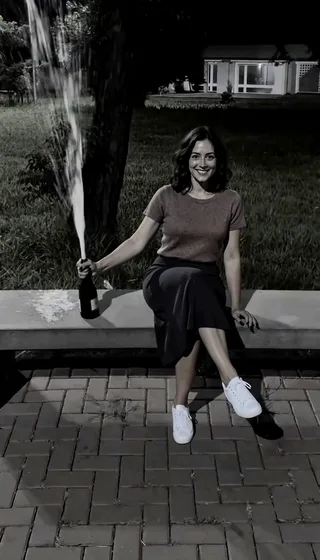
Upload one sharp photo of one adult. A waist-up or full-body view with visible hands gives the model more information than a tightly cropped selfie. Keep the face evenly lit and unobstructed; avoid sunglasses, strong beauty filters and several people in one picture. Wear the outfit you want in the video. The reference already supplies the party performance, so your photo does not need a party background or a piece of bread.
Make my BbY WOW video
Add your photos
Add one clear adult portrait with the face and clothing visible. One photo defines the only featured dancer; no partner photo is required.
Personalize the scene
Use the prepared party scene or add a brief outfit, lighting or background request. The motion reference is included automatically. The result stays 10 seconds in vertical 9:16.
Generate and download
Review the displayed credit cost before generating. Check the face, bread bite, hand contact, camera approach and final turn, then download the MP4. New generations and revisions use credits.
BbY WOW AI video questions
How many photos do I need for BbY WOW AI?
One photo of one adult. A waist-up or full-body photo with a clear face works best. Your photo supplies the main dancer; the party guests are background characters, so a second photo is not needed.
Do I need to upload a reference video?
No. The party movement is included automatically. Upload your portrait and, if you want, add a short instruction. You do not need to upload a dance video or write the choreography.
Does the video include sound?
When sound is enabled, the matching prepared soundtrack is added after the visual generation. Request silent output to omit it. The preview's music does not establish rights for commercial reuse; check the sound rules of the platform where you post.
How long is the video?
The generated video is a 10-second vertical 9:16 MP4. The demo preview is approximately 9.4 seconds; the prepared motion and audio are matched to the 10-second generation.
Can I change the outfit or background?
Yes. Request an outfit, lighting or location change while keeping the bite, stare and turn if you want the same meme. Your instructions are added to the prepared scene. Large changes may affect motion fidelity; exact likeness and choreography are not guaranteed.