 Rapframe
BABYMONSTER DESERVE AI Video Generator
Make a BABYMONSTER DESERVE-inspired AI rain scene from one photo: a wet night street, distant firelight and a slow face close-up in a 10-second vertical video.
Create my video
Upload your photos to use this template.
Pick an effect
All 235 effects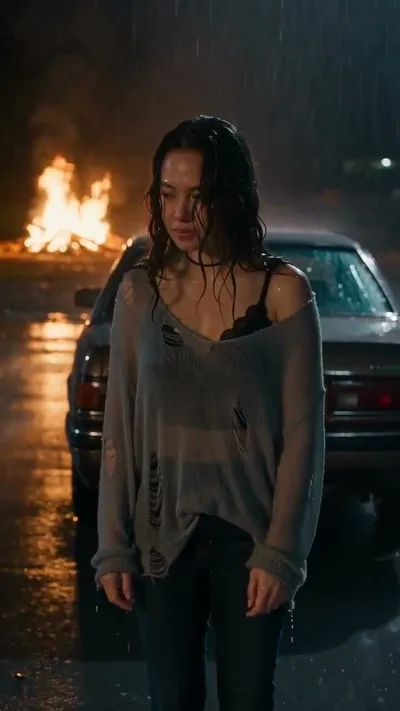











Enable JavaScript in your browser to upload material and generate a video.
Paid credits required. Check the cost before generating.
Preview unavailable. Try again.
What happens in this video?
The DESERVE rain-scene look combines a lone subject, heavy night rain, wet pavement and warm firelight behind a parked car. The camera slowly moves from an upper-body view toward the face while the lead lifts their gaze, clears wet hair where appropriate and settles into a quiet, determined expression. The motion is restrained and continuous. This tool creates a personal visual interpretation of the rain-night mood; it does not put an idol’s face on your body or generate a vocal cover.
Your photos and the prepared scene
Use one person or pet photo. A fixed scene prompt describes the rain, distant fire, car, expression and camera movement. No reference video, storyboard or song recording is passed to the model. Your uploaded subject keeps its recognizable appearance and own outfit unless you request a change. The default car is parked, and the distant fire stays safely separated from the lead.
Choose photos for the right roles
Choose a clear front or three-quarter portrait with the face and upper body visible. Use even lighting, open eyes and no sunglasses. Your photographed outfit is kept by default, so select clothing you want in the rain scene. A pet stays recognizable with the same fur colors and markings.
Create my video
Add your photos
Choose a clear front or three-quarter portrait with the face and upper body visible. Use even lighting, open eyes and no sunglasses. Your photographed outfit is kept by default, so select clothing you want in the rain scene. A pet stays recognizable with the same fur colors and markings.
Personalize the scene
Use one person or pet photo. A fixed scene prompt describes the rain, distant fire, car, expression and camera movement. No reference video, storyboard or song recording is passed to the model. Your uploaded subject keeps its recognizable appearance and own outfit unless you request a change. The default car is parked, and the distant fire stays safely separated from the lead.
Generate and download
Check the credit cost, generate, then inspect faces, hands and transitions before downloading. New generations and revisions use credits.
Questions about this effect
Which photos should I upload?
Choose a clear front or three-quarter portrait with the face and upper body visible. Use even lighting, open eyes and no sunglasses. Your photographed outfit is kept by default, so select clothing you want in the rain scene. A pet stays recognizable with the same fur colors and markings.
Do I need to upload a reference video?
Use one person or pet photo. A fixed scene prompt describes the rain, distant fire, car, expression and camera movement. No reference video, storyboard or song recording is passed to the model. Your uploaded subject keeps its recognizable appearance and own outfit unless you request a change. The default car is parked, and the distant fire stays safely separated from the lead.
Does the video include sound?
With sound enabled, the model creates original rain ambience and an optional instrumental bed. The DESERVE recording, lyrics and artist voice are not included. A silent request removes all sound.
How long is the video?
One 10-second 9:16 MP4. Check the face, body movement and scene continuity before downloading. New generations and revisions use credits.
Can I change the outfit or background?
Yes. Add a short instruction about clothing, lighting or the setting. Keep the assigned photo roles for the selected scene.