 Rapframe
Cow Makeup AI Video Generator – Cow Makeup Transition
Lip-sync to Mooo! and reveal a cow-print makeup look on the beat using one portrait.
Make my cow makeup video
Upload your photos to use this template.
Pick an effect
All 235 effects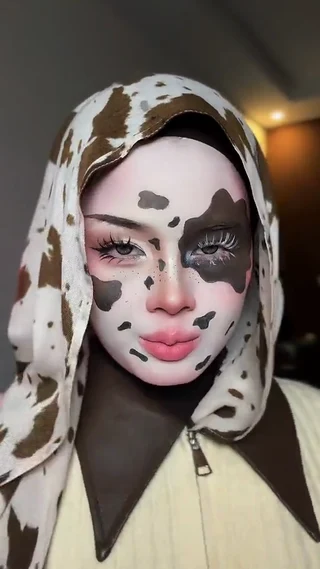











Enable JavaScript in your browser to upload material and generate a video.
Paid credits required. Check the cost before generating.
Preview unavailable. Try again.
Cow Makeup Transition · @rinnwyn
A small makeup chart hints at the look before the cut reveals dark patches and a pink nose.
Cow Makeup Transition
A small makeup chart hints at the look before the cut reveals dark patches and a pink nose.
Which photo should I use?
Choose a clear portrait of one person with their face in focus.
Make my cow makeup video
Add your photos
Choose a clear portrait of one person with their face in focus.
Personalize the scene
Add optional instructions about clothing or the setting.
Generate and download
Preview the makeup reveal and download your video.
Questions about this video
Which photo should I use?
Choose a clear portrait of one person with their face in focus.
Do I need to upload a reference video?
No. The scene and movement are already included. Upload the required photos and add optional instructions.
Does the video include sound?
The matching soundtrack is added when sound is enabled. Request a silent video to leave it out.
How long is the video?
15 s · 9:16
Can I change the outfit or background?
Yes. Add a short instruction about clothing, lighting or the setting. Keep the assigned photo roles for the selected scene.