 Rapframe
Gobble Gobble Dance AI – Thanksgiving Video Generator
Bring the Gobble Gobble Thanksgiving dance to life with your photos. Pick Solo or Duet for a 10-second vertical clip.
Create my video
Upload your photos to use this template.
Pick an effect
All 235 effects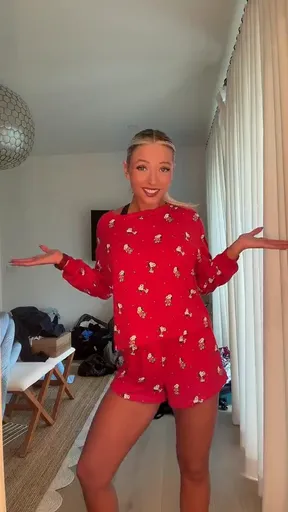











Enable JavaScript in your browser to upload material and generate a video.
Paid credits required. Check the cost before generating.
Preview unavailable. Try again.
What happens in the reference clip?
The dance starts with a palms-up shrug, then follows the beat with knee bounces, a turn and a side-on hip wiggle. It uses CasaDi’s Gobble Gobble remix. The Beans Greens Potatoes Tomatoes routine is covered by the Thanksgiving Bend tool.
Does the video include sound?
The video includes the remix from the selected reference.
Which photos should I add?
Choose a clear full-body photo of each dancer. Keep the face visible and leave room around the arms. For Duet, upload the person on the viewer’s left first and the person on the right second.
Create my video
Add your photos
Bring the Gobble Gobble Thanksgiving dance to life with your photos. Pick Solo or Duet for a 10-second vertical clip.
Personalize the scene
Yes. Add a short instruction about clothing, lighting or the setting. Keep the assigned photo roles for the selected scene.
Generate and download
Review the dance and download your video.
Questions about this video
Can I do the Gobble Gobble dance with someone else?
Yes. Choose Duet and add two separate photos, one for each dancer. Choose Solo for a clip with just one dancer.
Do I need to upload a reference video?
No. The scene and movement are already included. Upload the required photos and add optional instructions.
Does the video include sound?
The video includes the remix from the selected reference.
How long is the video?
≈ 10 s · 9:16
Can I change the outfit or background?
Yes. Add a short instruction about clothing, lighting or the setting. Keep the assigned photo roles for the selected scene.