 Rapframe
I Hope He Buys You Flowers AI
Turn your dog or cat into the I Hope He Buys You Flowers pet meme. A tiny green stem appears at the nose, then a paw gently pulls out a whole daisy and holds it up. Soft light, a clear muzzle and a playful reaction keep this a sweet flower surprise rather than an injury or a horror effect.
Create my video
Upload your photos to use this template.
Pick an effect
All 235 effects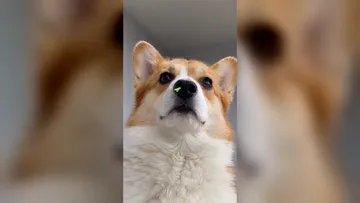











Enable JavaScript in your browser to upload material and generate a video.
Paid credits required. Check the cost before generating.
Preview unavailable. Try again.
What happens in this video?
A clear view of the muzzle makes the reveal readable. One front paw catches the small stem, draws out a complete white daisy and holds it for a final reaction. Keep the pet’s anatomy natural and the trick gentle.
Your photos and the prepared scene
Your photo defines the lead’s appearance, not a mandatory opening frame. The prepared scene directions supply the movement and setting. You do not need to upload a video. Add your own clothing, lighting or location instructions.
Choose photos for the right roles
Upload one clear photo of one dog or cat. Show the face, muzzle and front paws when possible. Avoid multiple pets, heavy filters and accessories covering the eyes.
Create my video
Add your photos
Upload one clear photo of one dog or cat. Show the face, muzzle and front paws when possible. Avoid multiple pets, heavy filters and accessories covering the eyes.
Personalize the scene
Keep the prepared scene or add a short instruction about clothing, lighting or setting. Review the selected settings.
Generate and download
Check the credit cost, generate, then inspect faces, hands and transitions before downloading. New generations and revisions use credits.
Questions about this effect
Which photos should I upload?
Upload one clear photo of one dog or cat. Show the face, muzzle and front paws when possible. Avoid multiple pets, heavy filters and accessories covering the eyes.
Do I need to upload a reference video?
Your photo defines the lead’s appearance, not a mandatory opening frame. The prepared scene directions supply the movement and setting. You do not need to upload a video. Add your own clothing, lighting or location instructions.
Does the video include sound?
When sound is enabled, the model creates original scene audio and music. The preview recording is not included. Ask for silence to mute the output.
How long is the video?
One 8-second 16:9 MP4. Inspect faces, paws or hands and moving objects before downloading. Generated results can vary.
Can I change the outfit or background?
Yes. Add a short instruction about clothing, lighting or the setting. Keep the assigned photo roles for the selected scene.