 Rapframe
Make a Macarena Dance Video With Your Photo
Make a 10-second Macarena Dance AI video from one full-body photo. Follow the prepared arm sequence and groove, with a matching source soundtrack.
Make a Macarena Dance Video With Your Photo
Upload your photos to use this template.
Pick an effect
All 235 effects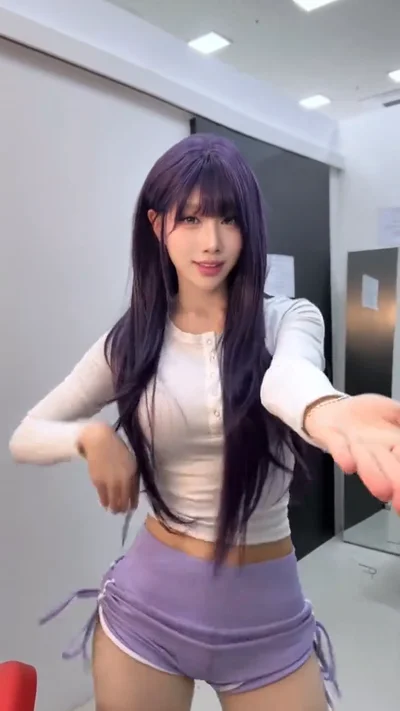











Enable JavaScript in your browser to upload material and generate a video.
Paid credits required. Check the cost before generating.
Preview unavailable. Try again.
What happens in this effect?
Macarena is recognizable for its alternating arm extensions, turning palms, chest and head gestures, and rhythmic hip movement. This template follows one prepared ten-second excerpt, keeping the sequence connected rather than generating unrelated freestyle. Your photo supplies the dancer, outfit and setting; the included clip supplies the movement and camera timing.
How your photo becomes a video
An internal motion clip guides choreography, camera and timing. Your photo defines the person and look. The video is generated silently, then its matching source soundtrack is added when sound is enabled.
Choose a clear photo
Use one clear full-body photo of one adult, with hands, legs and both shoes visible. Leave enough space around the body for the arm sequence. Avoid group photos, crossed arms and cropped feet. A level floor and simple lighting help keep the movement readable.
Make a Macarena Dance Video With Your Photo
Add your photos
Use one clear full-body photo of one adult, with hands, legs and both shoes visible. Leave enough space around the body for the arm sequence. Avoid group photos, crossed arms and cropped feet. A level floor and simple lighting help keep the movement readable.
Personalize the scene
Leave instructions empty for the prepared scene, or request a focused change to the styling, light or setting. The result stays 10 seconds and vertical 9:16.
Generate and download
Review the displayed cost before generating. Check identity, action, hands and sound, then download your MP4. Revisions use credits.
Questions about this video
How many photos do I need?
Use one clear full-body photo of one adult, with hands, legs and both shoes visible. Leave enough space around the body for the arm sequence. Avoid group photos, crossed arms and cropped feet. A level floor and simple lighting help keep the movement readable.
Do I need to upload a reference video?
An internal motion clip guides choreography, camera and timing. Your photo defines the person and look. The video is generated silently, then its matching source soundtrack is added when sound is enabled.
Does the video include sound?
The matching soundtrack is added when sound is enabled. Request a silent video to leave it out.
How long is the video?
One 10-second vertical 9:16 MP4.
Can I change the outfit or background?
Yes. Add a short instruction about clothing, lighting or the setting. Keep the assigned photo roles for the selected scene.