 Rapframe
Make a Naruto Dance Video From Your Photo
Your face, outfit and setting, with the recognizable Naruto Dance steps. Upload one adult photo for a 10-second vertical dance guided by the prepared choreography and camera movement.
Make my Naruto Dance video
Upload your photos to use this template.
Pick an effect
All 235 effects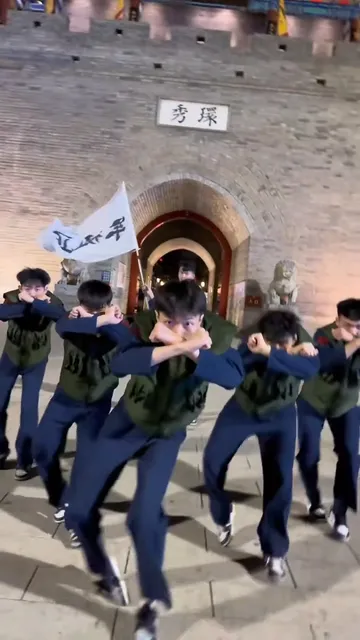











Enable JavaScript in your browser to upload material and generate a video.
Paid credits required. Check the cost before generating.
Preview unavailable. Try again.
What is the Naruto Dance?
Naruto Dance is the name used in Japan for a Ke Mu San dance meme popularized through Naruto cosplay performances. Its recognizable features are bent-knee side-to-side weight shifts, heel-toe footwork and flowing wrist and arm gestures. This template makes a short dance with your own adult identity as the foreground lead. The appearance and setting come from your photo. It is a fan-made dance effect, not a scene from the Naruto anime.
Your photo supplies the scene; the clip guides motion and camera
The built-in clip guides only choreography, timing and camera movement. Your photo defines the person, clothes, background, lighting and visual style. The routine is generated silently first, then matching source audio is added when sound is enabled. No video upload or dance recording is required.
Choose a full-body photo with visible shoes
Use one sharp, well-lit photo of one adult, with the face, hands, legs and both shoes visible. Leave space around the body. Avoid group photos, crossed limbs, masks and heavy filters. A clear floor and enough room to move help the model preserve the footwork. You do not need a Naruto costume.
Make my Naruto Dance video
Upload one adult photo
Choose a clear full-body image of one adult. The person and setting in this photo guide the visual result.
Keep the dance and personalize your look
Leave instructions empty for the prepared routine, or add a focused outfit, lighting or background request. The template keeps the 10-second duration and vertical 9:16 frame.
Generate, check the steps and download
Review the displayed credit cost, generate, then check the face, hands, footwork and soundtrack before downloading your MP4. New generations and revisions use credits.
Naruto Dance AI questions
How many photos do I need?
One photo of one adult. Your photo supplies the person and setting; the reference supplies the dance and camera movement.
Do I need to upload a dance reference video?
No. The movement reference is included internally. Upload your person’s photo and optionally describe a change to the look or setting.
Does it include the original audio?
With sound enabled, the matching audio from the prepared 10-second excerpt is added after silent generation. Request silent output to omit it. This is not a full-song or song-selection tool.
How long is the Naruto Dance video?
One 10-second vertical 9:16 MP4. It follows the selected short phrase rather than the full performance.
Can I change the clothes or background?
Yes. Add your request in the optional instructions. Your photo remains the identity reference, and the included clip guides the dance. Facial detail, choreography and synchronization can vary.