 Rapframe
Never Let Her Pay AI Video Generator – Sponge Wallet Meme
Make the Never Let Her Pay restaurant meme with one portrait. Stop your date from paying, open your wallet and let a kitchen sponge settle the bill.
Make my sponge wallet video
Upload your photos to use this template.
Pick an effect
All 235 effects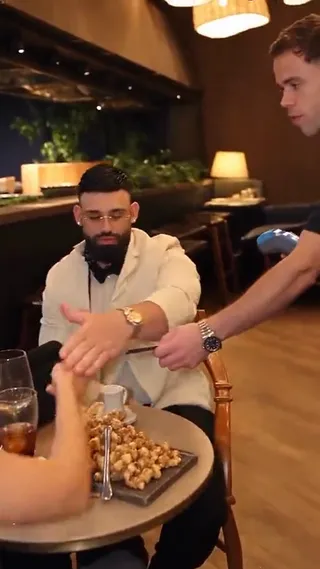











Enable JavaScript in your browser to upload material and generate a video.
Paid credits required. Check the cost before generating.
Preview unavailable. Try again.
What is the Never Let Her Pay trend?
The dinner guest waves away their date’s card with all the confidence of someone picking up the check. The little zip pouch holds a dish sponge. When the waiter leads the guest to a sink full of dirty plates, the offer to pay suddenly makes sense.
Watch the sponge reveal
The camera cuts from the card at the table to the sponge in the pouch. The last shot reveals the stack of dishes in the kitchen.
Whose photo goes in the sponge wallet video?
Use one clear, front-facing portrait of an adult. That person plays the guest with the sponge. The date and the waiter appear as supporting characters.
Make my sponge wallet video
Add your photos
Use one clear, front-facing portrait of an adult. That person plays the guest with the sponge. The date and the waiter appear as supporting characters.
Personalize the scene
Keep the dinner jacket or describe a different outfit. The guest still opens the pouch before the cut to the kitchen.
Generate and download
Preview the wallet close-up and the kitchen punchline, then download the clip.
Questions about this video
Whose photo goes in the sponge wallet video?
Use one clear, front-facing portrait of an adult. That person plays the guest with the sponge. The date and the waiter appear as supporting characters.
Do I need to upload a reference video?
No. The scene and movement are already included. Upload the required photos and add optional instructions.
Does the video include sound?
With sound enabled, the video uses generated restaurant ambience and dish sounds. You can also request a silent clip.
How long is the video?
The clip runs for 11 seconds in vertical 9:16.
Can I change the outfit or background?
Yes. Add a short instruction about clothing, lighting or the setting. Keep the assigned photo roles for the selected scene.