 Rapframe
Oh You Can Make It Cap AI · 360 Meme Video
Use two photos to recreate the 360 meme with the handbag spin and the hand-over-mouth laugh.
Create my video
Upload your photos to use this template.
Pick an effect
All 235 effects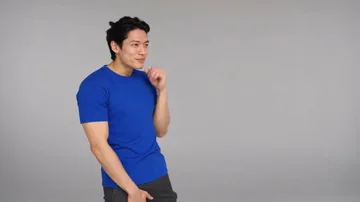











Enable JavaScript in your browser to upload material and generate a video.
Paid credits required. Check the cost before generating.
Preview unavailable. Try again.
What happens in the reference clip?
One person asks the question. The video cuts to the other person doing a full 360 with a handbag, then returns to the questioner covering their mouth as they laugh.
Does the video include sound?
With sound on, your video uses the audio from the selected preview, aligned from the start.
Which photos should I add?
Use a clear solo photo for each role. A full-body photo works well for the person doing the 360.
Create my video
Add your photos
Use two photos to recreate the 360 meme with the handbag spin and the hand-over-mouth laugh.
Personalize the scene
Yes. Add a short instruction about clothing, lighting or the setting. Keep the assigned photo roles for the selected scene.
Generate and download
Check the movement and sound, then download your clip.
Questions about this video
Who goes in each photo slot?
Add the person who asks and laughs first. Add the person who spins second.
Do I need to upload a reference video?
No. The scene and movement are already included. Upload the required photos and add optional instructions.
Does the video include sound?
With sound on, your video uses the audio from the selected preview, aligned from the start.
How long is the video?
≈ 10 s · 16:9
Can I change the outfit or background?
Yes. Add a short instruction about clothing, lighting or the setting. Keep the assigned photo roles for the selected scene.