 Rapframe
Talk To Me Doja AI Video Generator – Urara Dance Trend
Make a portrait dance to Like That by Doja Cat. Step back, cup your cheeks and sway alongside Urara in a vertical hallway clip.
Make my dance video
Upload your photos to use this template.
Pick an effect
All 235 effects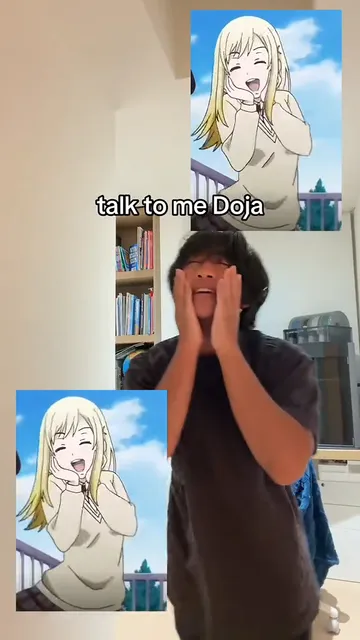











Enable JavaScript in your browser to upload material and generate a video.
Paid credits required. Check the cost before generating.
Preview unavailable. Try again.
How does the Urara dance start?
The dancer glances aside and steps back. As the beat comes in, both hands rise to the cheeks and the shoulders rock from side to side with the anime figure in the corner.
Watch the hallway version
Watch the pause before the hands come up. The corner animation shows when to switch sides.
Which photo should I use?
Choose a well-lit, front-facing photo of one adult with their face and shoulders visible and hands away from their cheeks.
Make my dance video
Add your photos
Choose a well-lit, front-facing photo of one adult with their face and shoulders visible and hands away from their cheeks.
Personalize the scene
Keep the outfit in your photo or describe the clothing you want for the dance.
Generate and download
Play the clip with sound to see how the sway lines up with Like That, then save your video.
Questions about this video
Which photo should I use?
Choose a well-lit, front-facing photo of one adult with their face and shoulders visible and hands away from their cheeks.
Do I need to upload a reference video?
No. The scene and movement are already included. Upload the required photos and add optional instructions.
Does the video include sound?
The matching soundtrack is added when sound is enabled. Request a silent video to leave it out.
How long is the video?
About 14 seconds, in vertical 9:16.
Can I change the outfit or background?
Yes. Add a short instruction about clothing, lighting or the setting. Keep the assigned photo roles for the selected scene.