 Rapframe
Gangsta’s Paradise AI — 15-Second Rap Duet from Two Photos
Turn two portraits into a 15-second vertical rap duet. One person raps under candlelit arches, then the second steps forward to sing the hook.
Generate a duet
Upload your photos to use this template.
Pick an effect
All 235 effects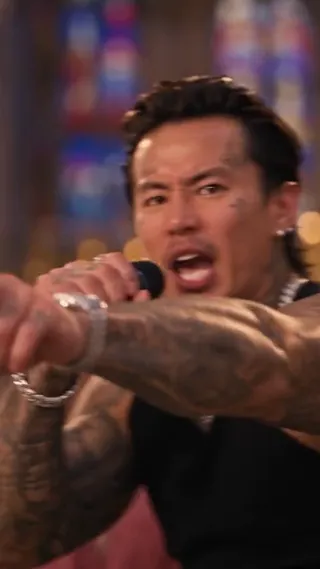











Enable JavaScript in your browser to upload material and generate a video.
Paid credits required. Check the cost before generating.
Preview unavailable. Try again.
A verse, a mic pass, and a sung hook
The rapper opens under candlelit stone arches with a choir in the background. The camera pulls back for the microphone handoff, then moves in on the singer for the hook.
Generate a duet
The rapper opens under candlelit stone arches with a choir in the background. The camera pulls back for the microphone handoff, then moves in on the singer for the hook.
Choose two clear portraits
Upload two separate adult portraits: the rapper first and the hook singer second.
Generate a duet
Add your photos
Upload two separate adult portraits: the rapper first and the hook singer second.
Personalize the scene
Keep the candlelit setting or add a short note about the outfits, lighting, or venue.
Generate and download
Check the credit cost, generate, then review the handoff and vocals before downloading.
Questions about this video
How many photos do I need?
Upload two separate adult portraits: the rapper first and the hook singer second.
Do I need to upload a reference video?
No. The scene and movement are already included. Upload the required photos and add optional instructions.
Does the video include sound?
With sound on, the original soundtrack from the reference is added to the finished video. Choose silent output to leave it out.
How long is the video?
The video is 15 seconds long in vertical 9:16.
Can I change the outfit or background?
Yes. Add a short instruction about clothing, lighting or the setting. Keep the assigned photo roles for the selected scene.